Skip to content
  • Categories
  • Recent
  • Tags
  • Popular
  • Users
  • Groups
Collapse

Kakakuona Forum

  1. Home
  2. Blogs
  3. This week on Mobile Security Misconfigurations

This week on Mobile Security Misconfigurations

Scheduled Pinned Locked Moved Blogs
1 Posts 1 Posters 84 Views
  • Oldest to Newest
  • Newest to Oldest
  • Most Votes
Log in to reply
This topic has been deleted. Only users with topic management privileges can see it.
  • M Offline
    M Offline
    Mpoti
    wrote on last edited by
    #1

    Although tools such as MobSF may flag it as this as a mis-configuration, it can be exploited even with a device that does not have root per mission. This mis-config can be used to create a full backup copy of the whole device including the application data that is supposed to only be accessed by root user.

    c8f0acdf-297c-4516-aaf8-532ffa8b8dfa-image.png

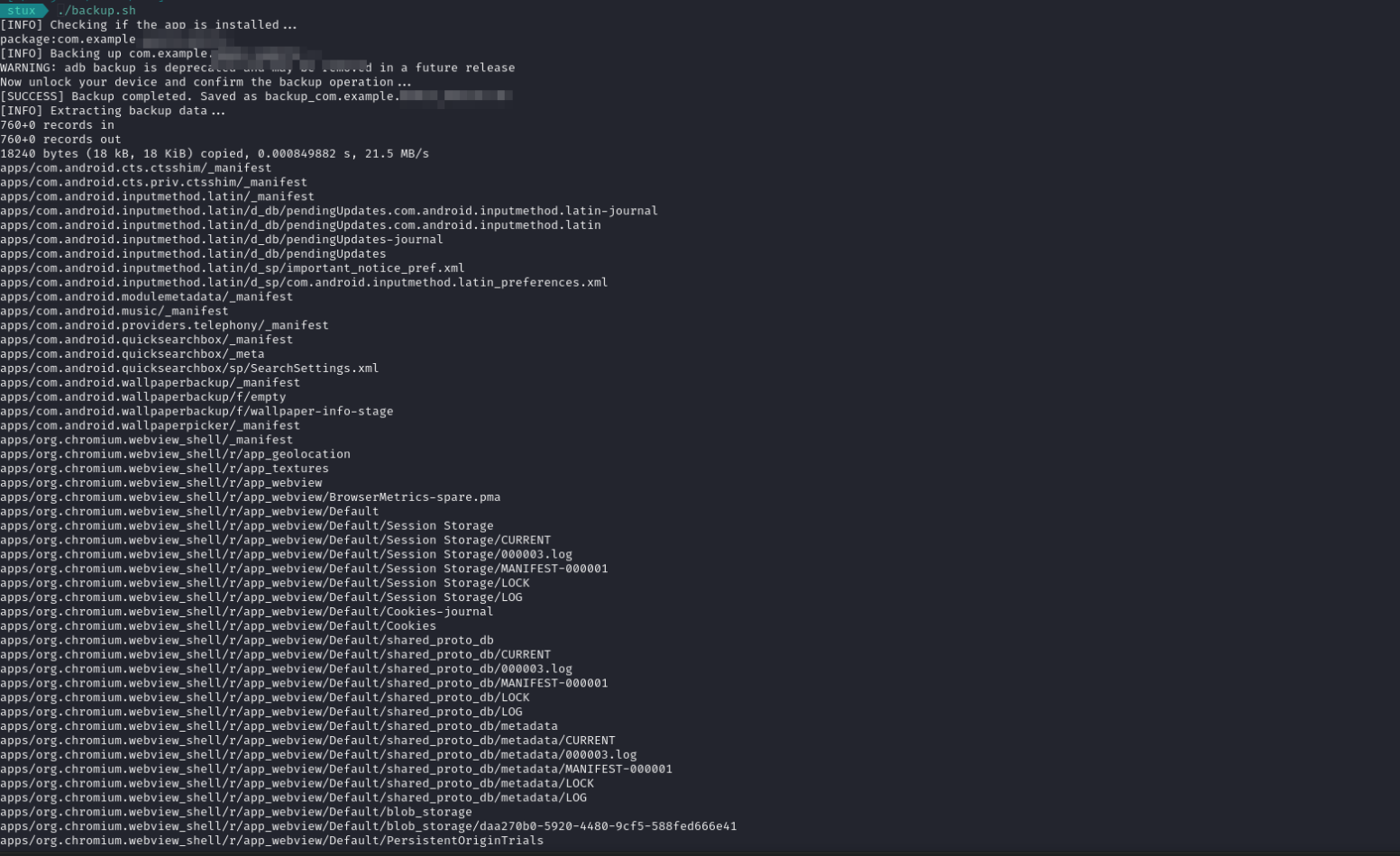
    For this i was able to demonstrate a PoC for the issue using bash script that i wrote to try and exploit the mis-configuration.
    d4894181-a1d0-43ad-9ac3-f98d2d979a65-image.png

    This illustrates how one application with such a misconfiguration could result to the compromise of the whole device
    96a1b799-2e14-4d70-9acd-2bc5fbc4e6d6-image.png

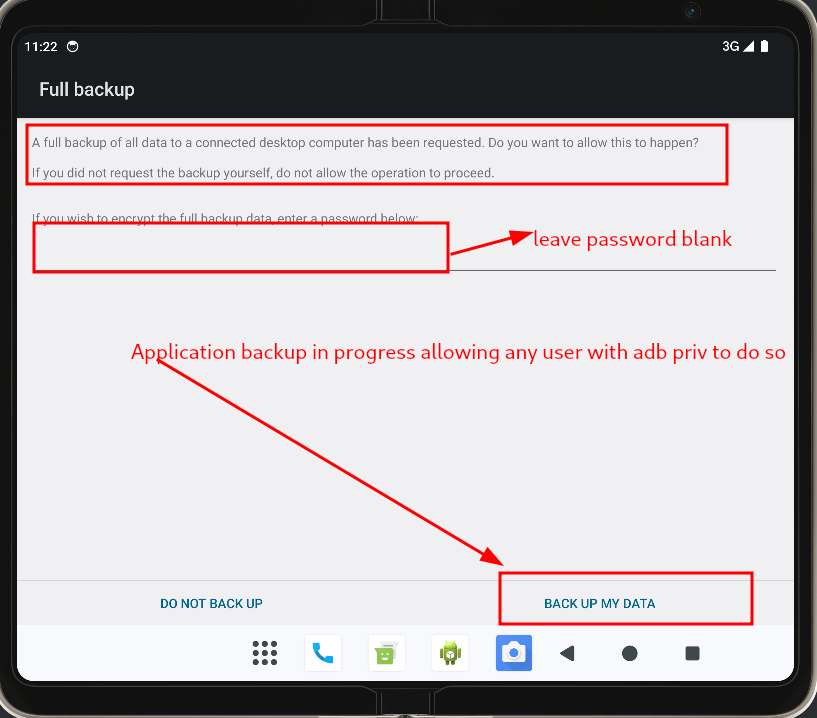
    By allowing this action this means all application data can be backup.
    46258240-1de7-4070-b980-4c7cfaa979d0-image.png

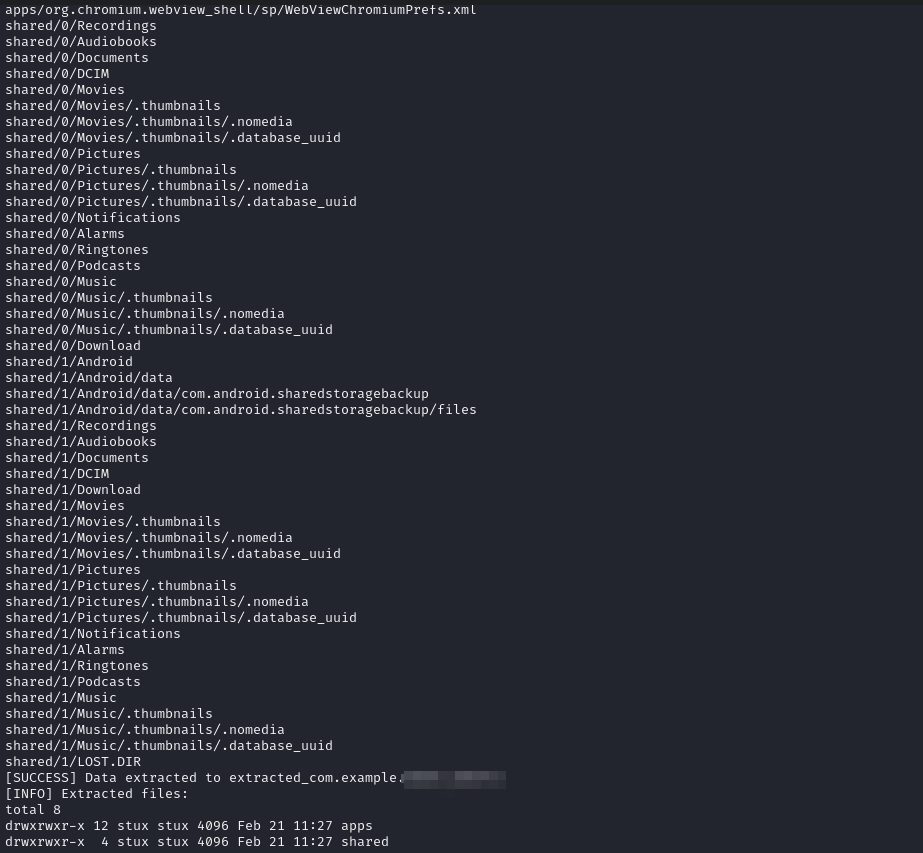
    Example of data that can be pulled

    198c606d-1b42-4c25-a69f-1e3d66691fec-image.png

    what are some of the steps that can be taken in this particular case. Its quite simple
    The flag [android:allowBackup] should be set to false

    Happy Hacking

    1 Reply Last reply
    0

    • Login

    • Don't have an account? Register

    Powered by NodeBB Contributors
    • First post
      Last post
    0
    • Categories
    • Recent
    • Tags
    • Popular
    • Users
    • Groups
